
Why is my order not importing?
some common things you can check to get your order imported
if an order failed to import, please click on the order number in our app (from the failed import tab)
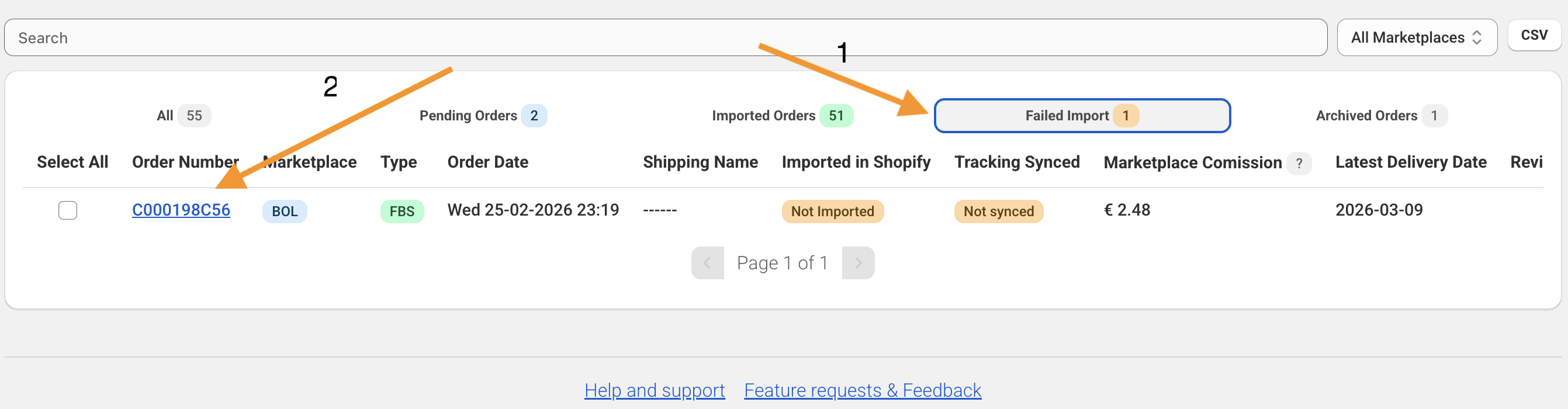
most of the time an error message will show what you can do to get the order imported, if this is the case you should be able to see it in the banner:
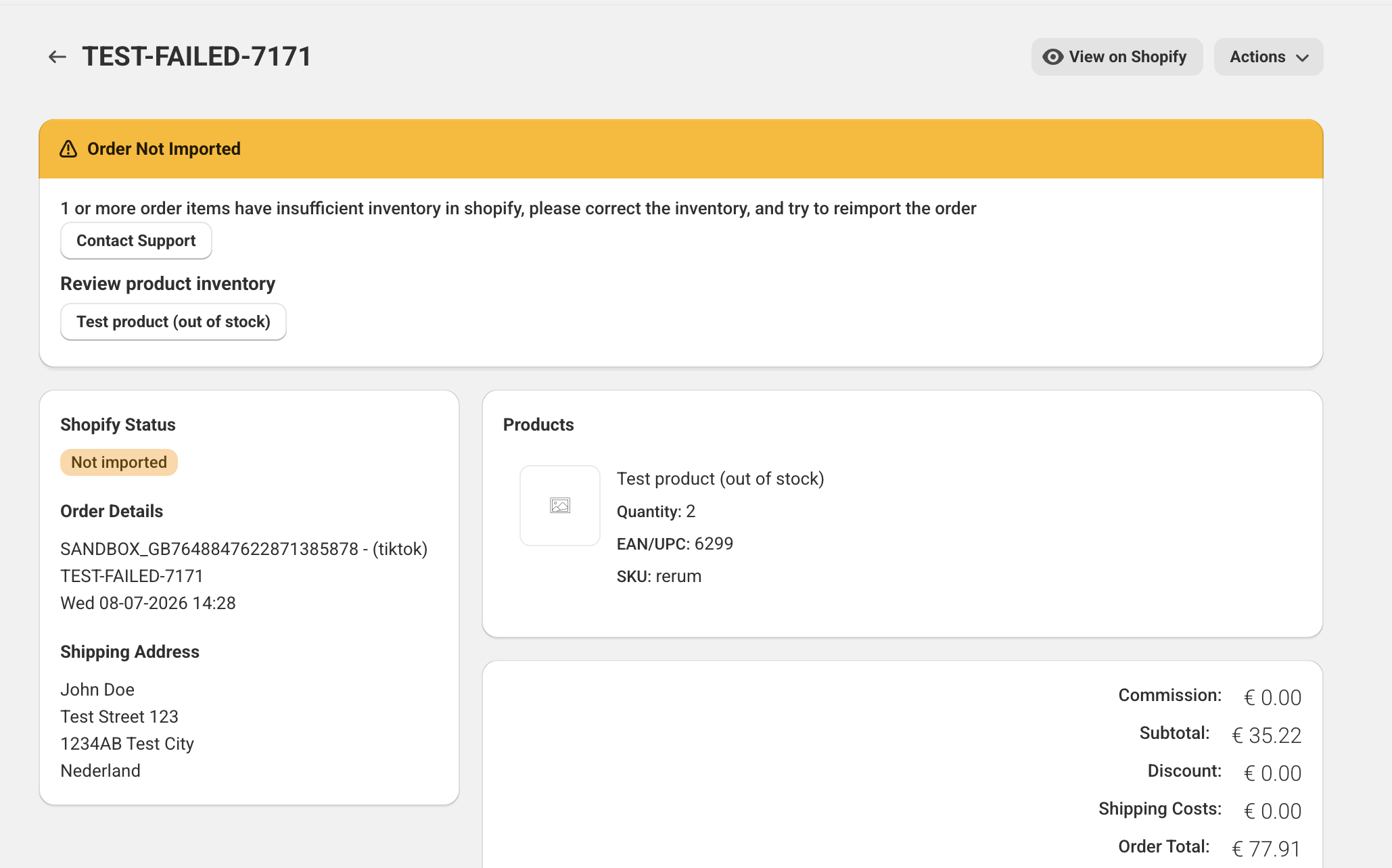 this orders product does not have sufficient inventory in shopify, you can click the review product inventory button to update inventory in shopify.
After that you can retry the import by pressing actions -> import into shopify
this orders product does not have sufficient inventory in shopify, you can click the review product inventory button to update inventory in shopify.
After that you can retry the import by pressing actions -> import into shopify
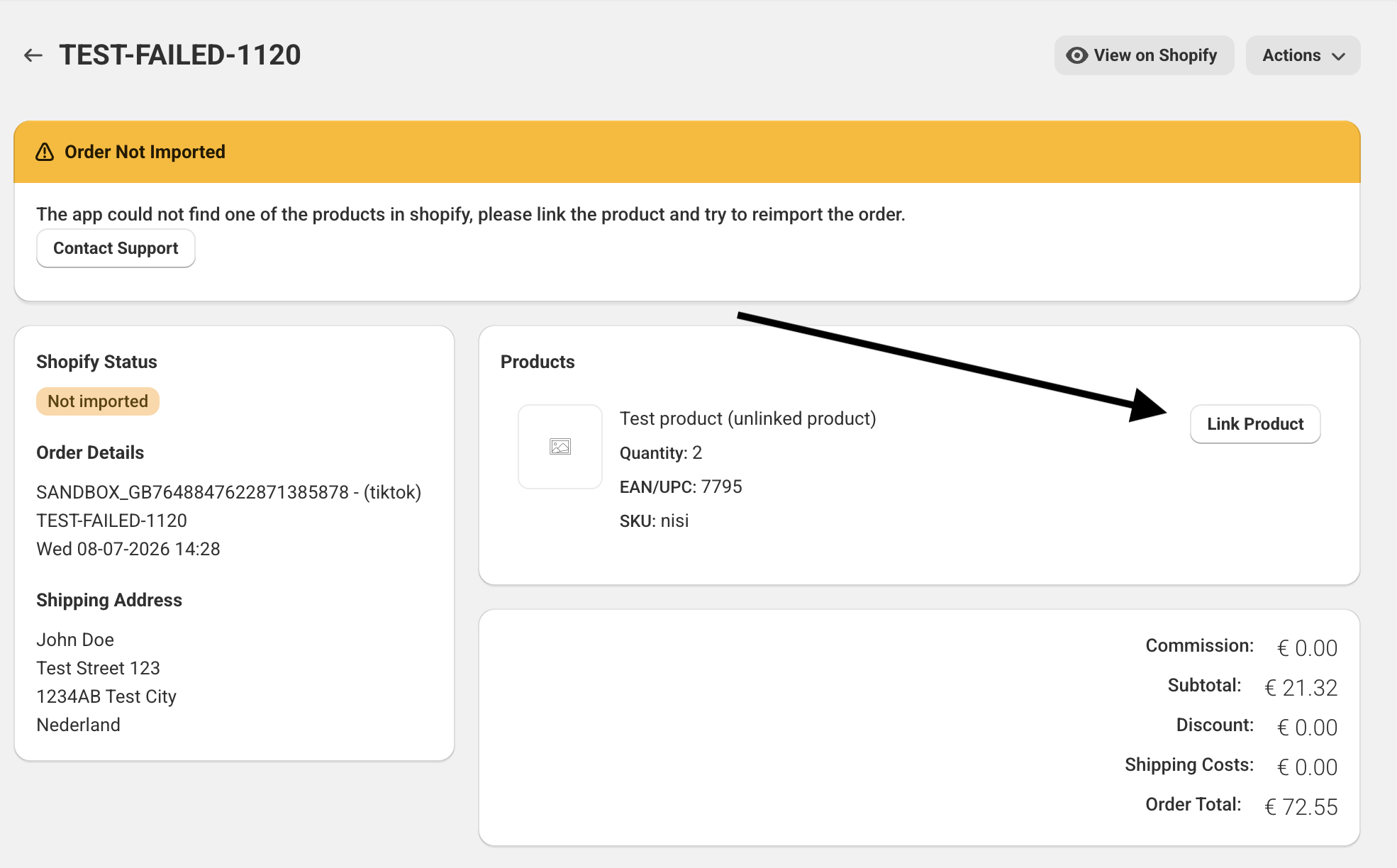 In this case the product can’t be found in shopify (if the barcode or sku does not match, depending on your sync method) you can try to manually link it, by clicking Link Product
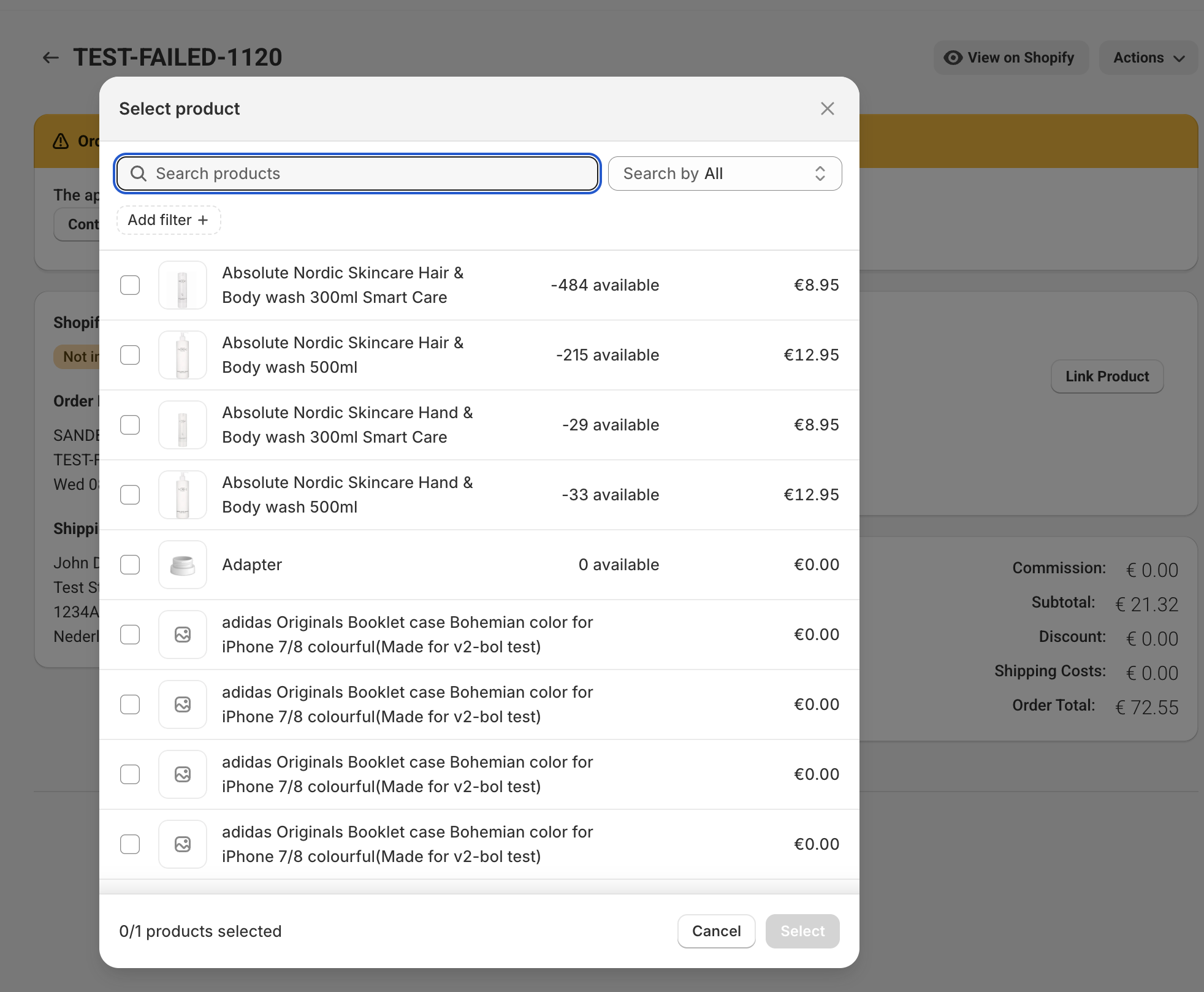
A modal will open, where you can select the correct shopify product
In this case the product can’t be found in shopify (if the barcode or sku does not match, depending on your sync method) you can try to manually link it, by clicking Link Product
A modal will open, where you can select the correct shopify product
 After that you can retry the import by pressing actions -> import into shopify
Was this article helpful?
Thanks for your feedback!