
 Getting Started
Import shipped orders from marketplaces
Import orders that are already marked as shipped on the marketplace (Amazon, bol.com, CDiscount, Otto) by switching on Import Shipped Orders on the connection.

Written by Thomas Lang
Updated November 10, 2026
This feature is currently supported by: Amazon, bol.com, CDiscount, Otto.
By default we only import open orders. If you create shipping labels in a marketplace (for instance bol.com) we might not import the order because the status was already “shipped” before we fetched it.
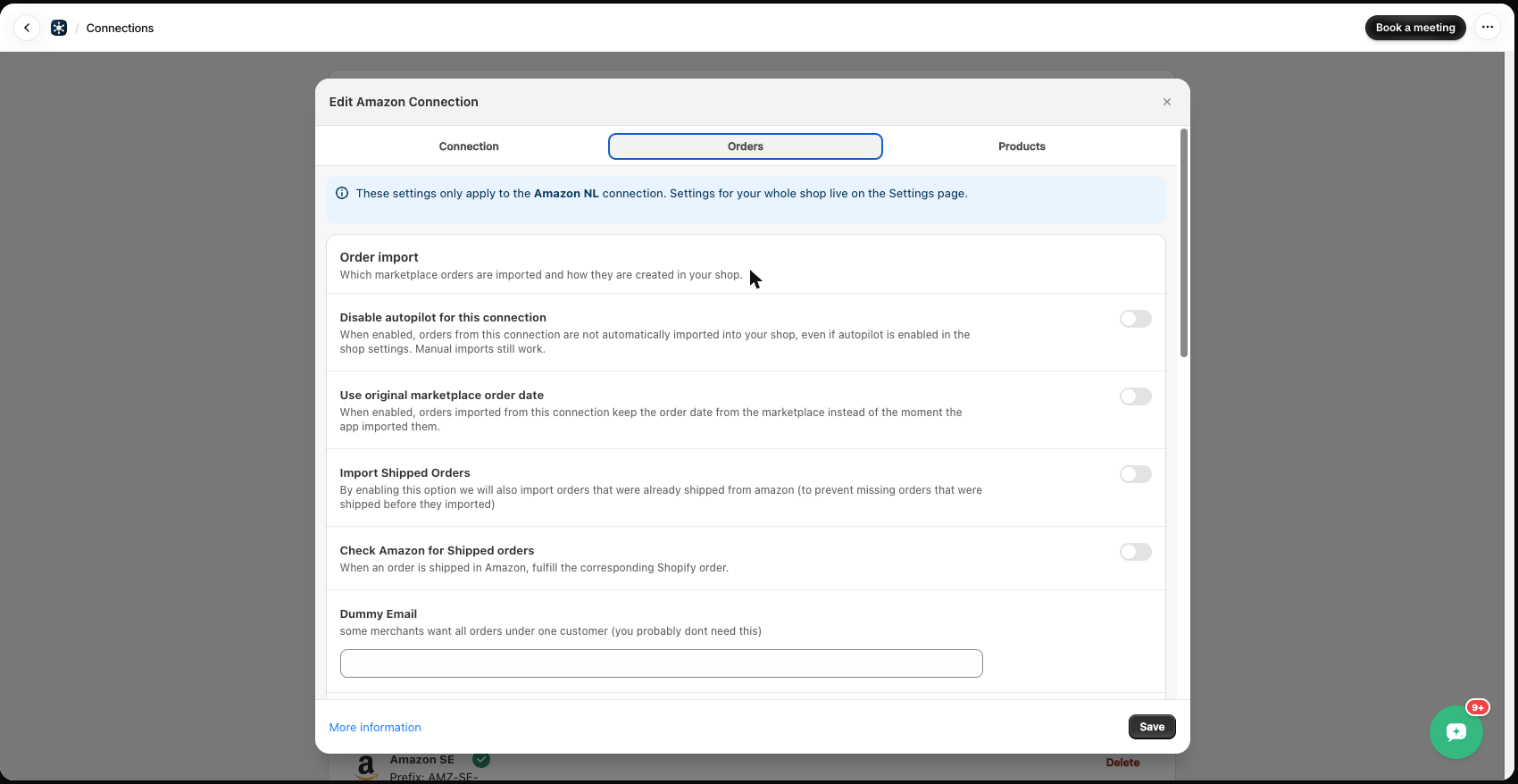
To also import shipped orders: go to Connections, click the connection, open the Orders tab and switch on Import Shipped Orders. Click Save.
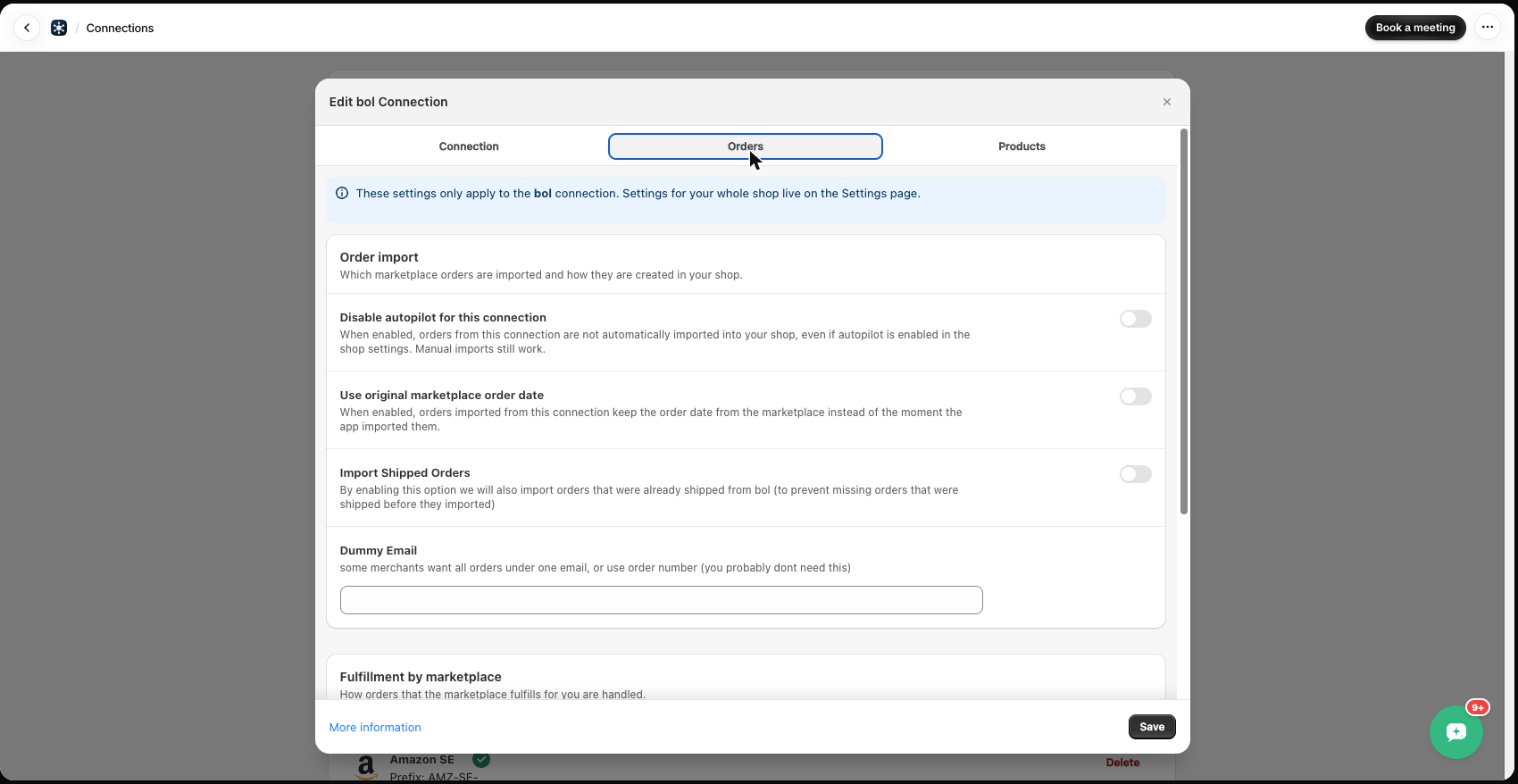
From now on shipped orders are imported into Shopify too.
Related options in the same tab
- Check Amazon for Shipped orders – fulfill the Shopify order when Amazon marks it shipped.
- Enable Fulfillment By Amazon (FBA) / bol.com (FBB) – import orders fulfilled by the marketplace as fulfilled orders.
- Use original marketplace order date – keep the marketplace date on late-imported orders.
Was this article helpful?
Thanks for your feedback!