
 Getting Started
Order cancellations
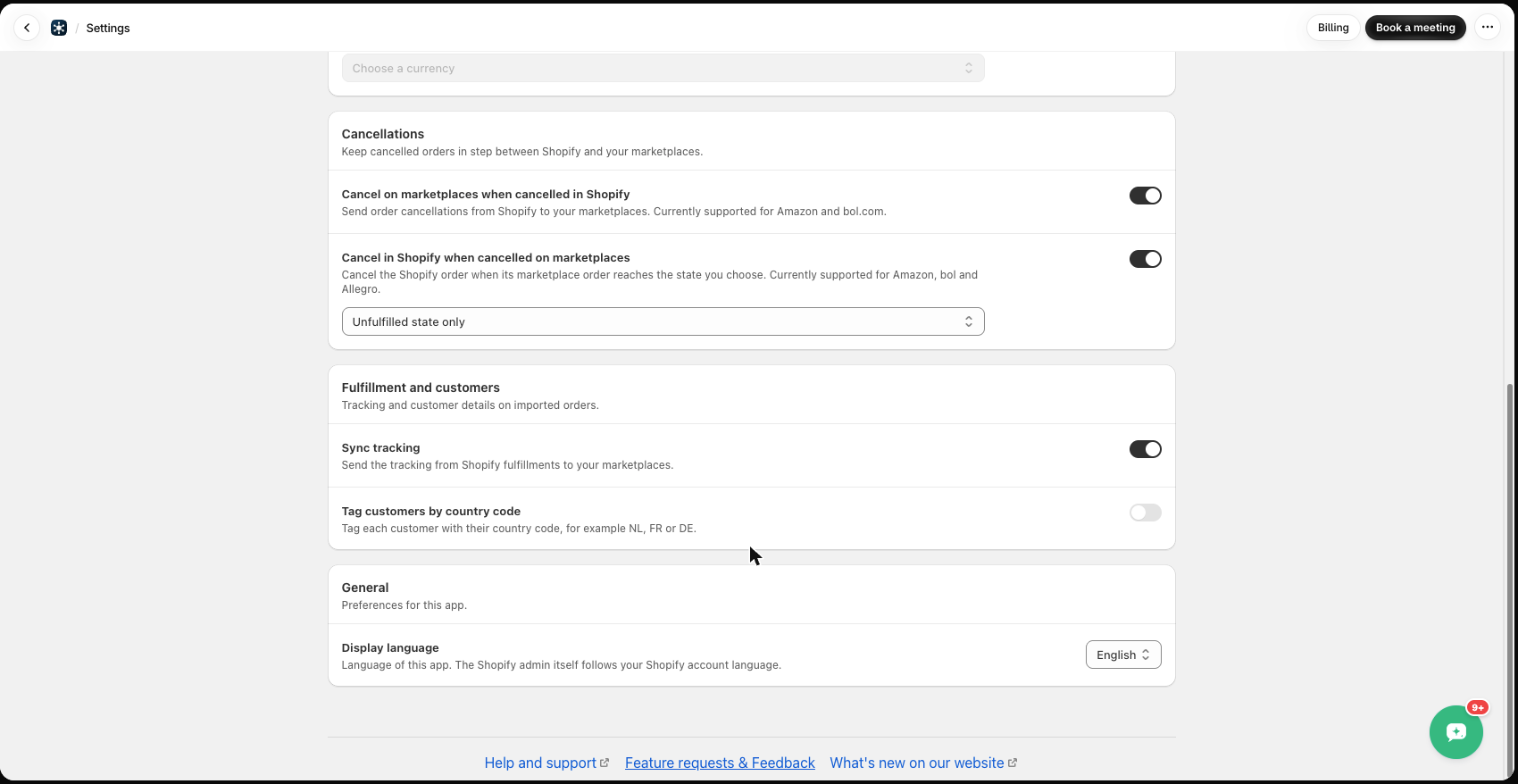
Keep order cancellations in sync between Shopify and your marketplaces in both directions, and how to switch it on under Settings › Orders › Cancellations.

Market Sync can keep cancellations in sync in both directions. Both options live under Settings › Orders › Cancellations.
Shopify → marketplace
Supported for bol.com and Amazon.
Enable Cancel on marketplaces when cancelled in Shopify. Then open the order in your Shopify admin and choose “Cancel order”.

Select the reason why you want to cancel the order and confirm by clicking “Cancel order”. The cancellation is sent to the marketplace and the order is marked as cancelled in our app.
Cancellations will always be refunded by your sales channel, also if you choose “Refund later”. We cannot cancel an order on a marketplace without a full refund.

Marketplace → Shopify
Supported for Amazon, bol.com and Allegro.
Enable Cancel in Shopify when cancelled on marketplaces and choose the state in which the Shopify order may be cancelled (for example “Unfulfilled state only”, so an order you already shipped is never cancelled behind your back). When the marketplace order reaches a cancelled state, we cancel the Shopify order.
Was this article helpful?
Thanks for your feedback!