
 Marketplace Configurations
Connecting to Etsy
Connect your Etsy shop to Market Sync by adding the connection and authorizing access to your Etsy account.

Written by Thomas Lang
Updated November 10, 2026
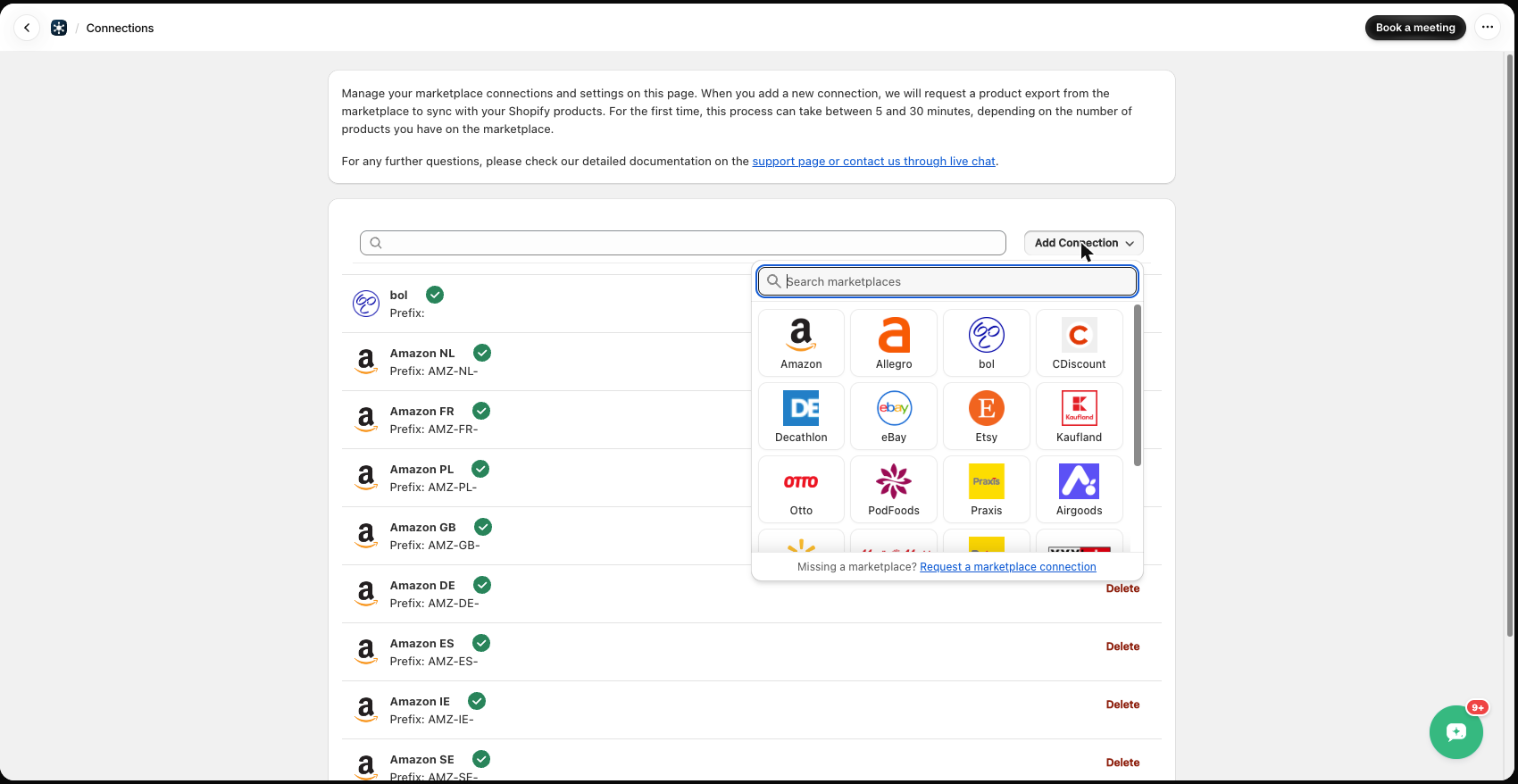
To add a Etsy connection to Market Sync, go to Connections in the app menu and choose Add Connection › Etsy.
Step 1 - Add the connection
Open Connections, click Add Connection and pick Etsy from the list.
Step 2 - Connect to your Etsy account
When the connection is added you will see a pop-up window where you can establish a connection to your Etsy account.

The app will now establish the connection with your Etsy account.
Was this article helpful?
Thanks for your feedback!